Adventure DX
Adventure DX is a GB Studio 4.2 engine plugin that extends the built-in Adventure scene type with full 8-way movement support — diagonal animations, diagonal projectile firing, a flexible mode system, and a set of runtime events for scripted control.
Adds a new scene type called Adventure DX. Switch any Adventure scene to Adventure DX in the scene type dropdown to access the plugin's features. Stock Adventure scenes are untouched.
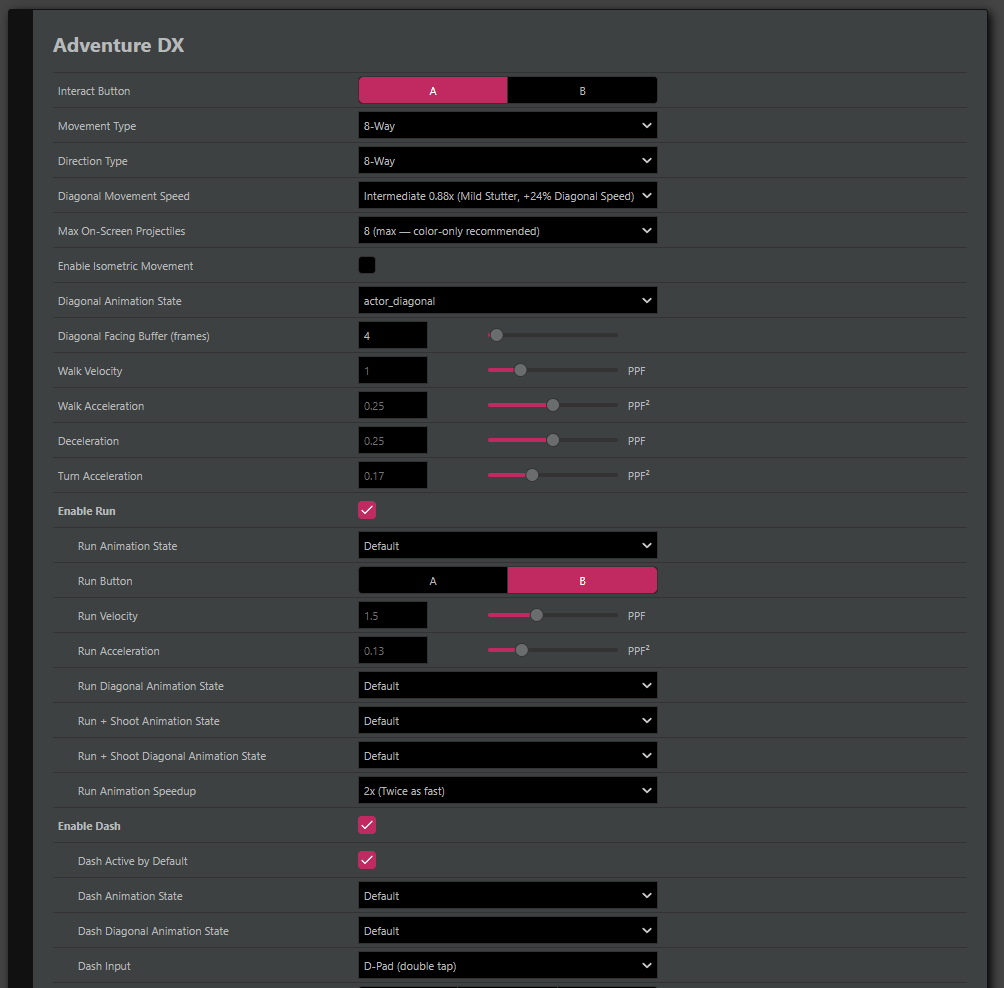
A detailed walkthrough of every Settings panel field, feature, and custom event is included in the download — see Adventure DX - Walkthrough.md.
8-way movement and facing:
- Diagonal animation states with a configurable sprite slot mapping — reuse your existing four cardinal slots as diagonal frames without authoring new sprite sheets
- Diagonal facing buffer — holds the diagonal visual facing for a configurable number of frames when you release one axis early, preventing snap-to-cardinal jitter
- Configurable diagonal movement speed (Smooth / Intermediate / Vanilla) with notes on the Game Boy's integer-pixel rendering behaviour
Action system:
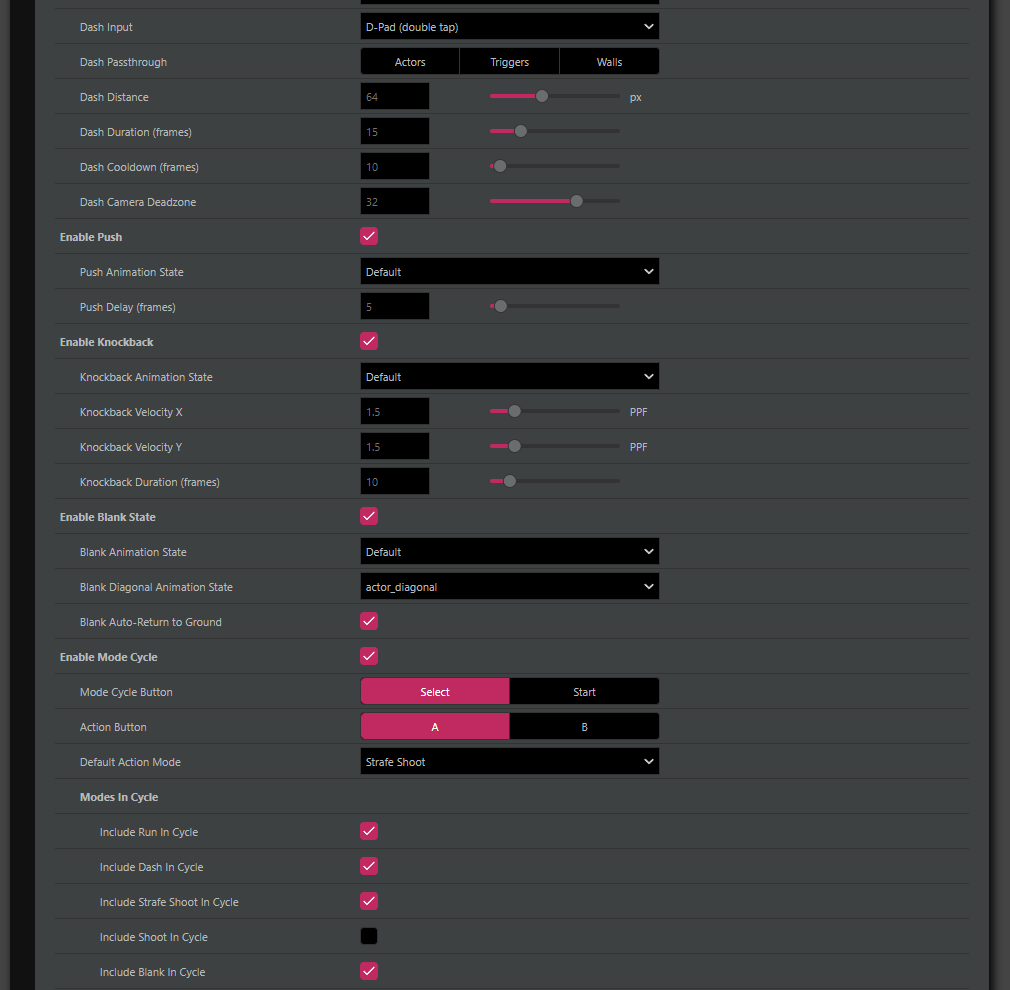
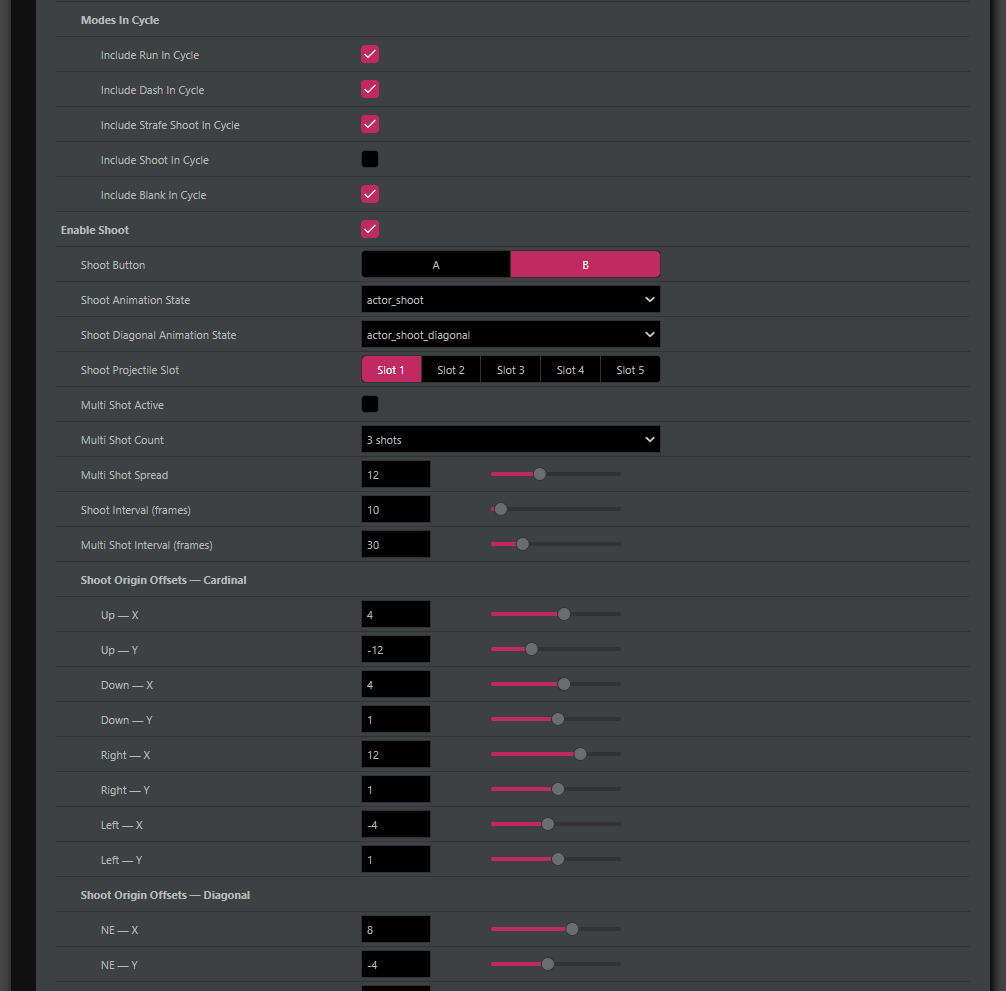
- Mode Cycle — one button cycles through Run, Dash, Strafe Shoot, Shoot, and Blank modes. Per-mode "Include in Cycle" checkboxes let you keep some features on dedicated buttons while others share the cycle
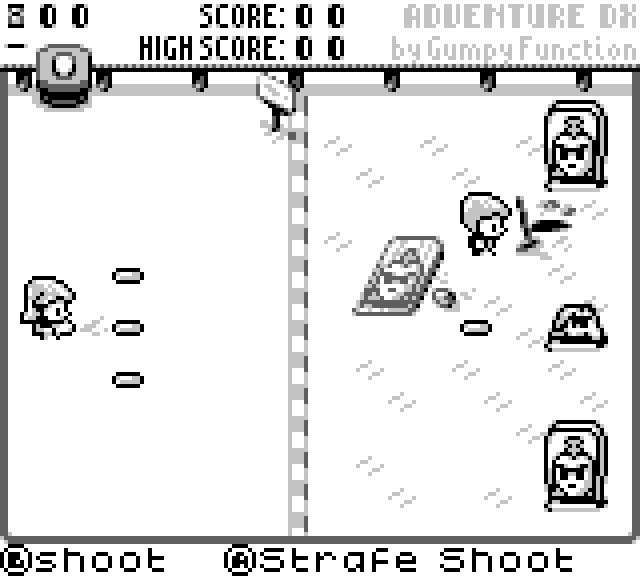
- Strafe Shoot — fires with facing locked so the player can sidestep without losing aim
- Multi-Shot — runtime burst-fire modifier. Toggle on/off from any script; stacks independently with Strafe Shoot. Configurable shot count (2/3/4), spread angle, and burst interval
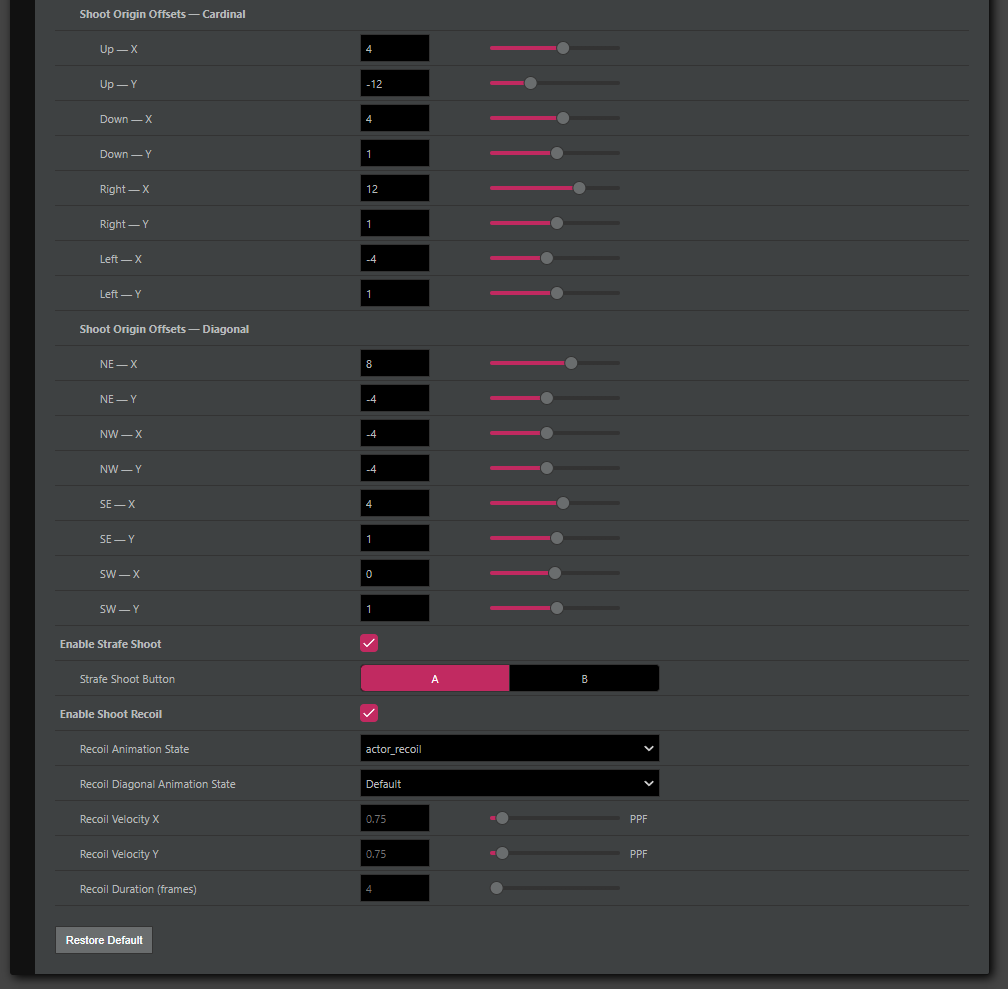
- Shoot Recoil — firing pushes the player back as an impulse on top of current velocity. Diagonal-aware, cardinal-aware, with separate animation states per facing
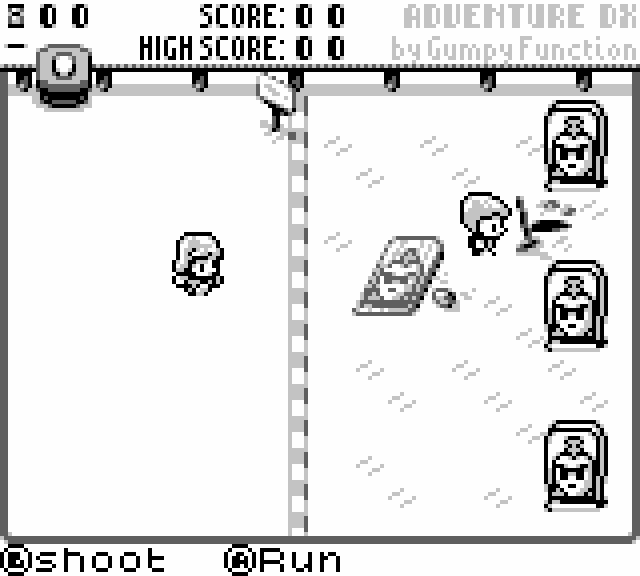
- Run Animation Speedup — cycles the loaded animation at 1x / 2x / 4x speed while running, so the character reads as sprinting without authoring extra frames
- Blank State Auto-Return to Ground State - automatically returns the player to Ground state when the On Blank Start script finishes (can be disabled in project settings).
Projectiles:
- 8-way diagonal projectile firing using GB Studio's native angle system
- Per-direction spawn offsets (cardinal and diagonal, independent X/Y)
- Projectile diagonal animation slots — assign angled projectile sprites to the four firing directions
- Increased maximum simultaneous on-screen projectile cap from 5 to 8
- Simultaneous on-screen projectile cap configurable in project settings
Isometric movement:
- 8-way iso mode — diagonal movement uses a 2:1 horizontal-to-vertical ratio
- 4-way iso mode — remaps the full dpad to the four isometric diagonals
Runtime events (under the Adventure DX event group):
- Attach / Remove Script From Adventure DX State
- Set Adventure DX State
- Set Adventure DX Action Mode
- Set Adventure DX Player Facing (8-Way)
- Launch Projectile In Slot (Adventure DX)
- Launch Multi Shot
- Set Multi Shot Active / Set Multi Shot Config
- Set Mode Cycle Active
All features are toggled via compile-time checkboxes in the Settings panel. Disabled features compile out completely — zero ROM cost for anything you don't use.
Bundled: example project
The download includes a fully configured GB Studio 4.2 example project with the plugin already installed. It contains a test scene wired up with sprites, projectiles, and a Start button debug menu covering player direction, action mode, shoot testing, and multi-shot configuration — so you can see every feature running before touching your own project.
Bundled: gbs-skill-pack v1.0
Also included is the gbs-skill-pack — a collection of Claude AI SKILLs for GB Studio development, distilled from building this plugin. If you use Claude to help with your GB Studio projects, loading these SKILLs gives it verified knowledge of GB Studio's engine plugin structure, .gbsres event schemas, and direct file editing techniques. The pack contains five SKILLs: gbs-tool-creator, gbs-skill-maintenance, gbs-plugin-creator, gbs-gbsres-editor, and gbs-event-reference. See the included README.md for setup instructions.
How to install:
- Download and unzip the plugin folder
- Copy the
Adventure Scene DXfolder into your GB Studio project'splugins/directory (createplugins/if it doesn't exist) - Open your project in GB Studio 4.2
- Select any scene and change its scene type to Adventure DX
- Go to Project Settings → Adventure DX to configure features
Requirements: GB Studio 4.2. Not tested against earlier versions.
New to GB Studio? This plugin assumes familiarity with GB Studio's scene, actor, and scripting systems. If you're just getting started, check out Let's Build a Platformer - a GB Studio course by Gumpy Function that covers the fundamentals hands-on.
Created by Gumpy Function with AI assistance (Claude, Anthropic).
Download
Click download now to get access to the following files:
Development log
- The Making of the Adventure Scene DX PluginMay 31, 2026
Comments
Log in with itch.io to leave a comment.
Show post...
thx!
im gonna guess i need to give credit somewhere in my game assuming i use this? my game is almost done and this is like the last thing it needs for movement
It's up to you. Always nice, but not essential.
this is cool, but why does the run animation stay at a single direction until you stop running
Hey, if you are having trouble with the plugin, contact me via Discord and I can assist you. If there is a bug in the plugin, i'd love to know and squash it.
its weird, it works normally now
This is really great, amazing job. Do you think it would be possible to make it so the bullets don't travel through walls? I think it would open up tons of possibilities
Cheers. It is possible but it would absolutely tank performance if the projectiles had to check tile collision in addition to actor collision - even on color only mode.
Sooo cool! Thank you for this example. Love the little detail with shooting the gadener :D
W.O.W.!
perfect timing…will start prototyping my next idea soon! do this will help a lot!
Truly impressive! This is exactly how I want AI to be used!
Absolutely awesome work! I can't wait to play with this!
Cheers bud, have fun!